


Your gaming setup’s performance could be significantly enhanced with the right motherboard, even if it doesn’t directly boost FPS. In 2025, we’ve witnessed the release of numerous motherboards designed to support the latest processors. Our tests of various models compatible with both AMD and Intel have helped us determine the top performers.
With so many options available, selecting the best motherboard can be daunting. That’s why we’ve created a comprehensive list to guide you. Whether you’re after budget-friendly or high-end models, here are six standout motherboards for gaming or overclocking to maximize your hardware’s potential.
Best Motherboard Picks for Gaming [2025 Edition]
Best Overall (AMD): ASUS ROG Strix X870E-E
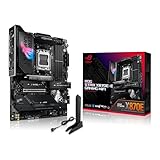
ASUS ROG Strix X870E-E Gaming WiFi
A perfect motherboard for everyone, gamers and non-gamers included. At a sub-$400 price tag, it offers terrific VRM, excellent connectivity, and superb component support, enough for most enthusiasts.
| Chipset | Socket | VRM | Memory Support | Total USB Ports | PCIe Slots | Storage | WiFi |
|---|---|---|---|---|---|---|---|
| X870E | AM5 | 18+2+2 | 4x DIMM, 256 GB DDR5, up to 8400 MT/s | 24 | 1x PCIe 5.0 x16, 1x PCIe 4.0 x16 | 3x M.2 PCIe 5.0, 2x PCIe 4.0, 4x SATA | WiFi 7 |
| PROS | CONS |
| + Excellent power delivery | – Q-release mechanism may scratch the GPU connector |
| + Incredible connectivity | |
| + Plenty of onboard utilities |
An ideal gaming motherboard shouldn’t cost you an arm and a leg, and at the same time should offer a well-rounded feature set that meets the demands of most gamers. The ROG Strix X870E-E Gaming WiFi is all about that and doesn’t disappoint at all. From features to aesthetics, it brings a balanced mix that is more than sufficient for optimal performance, easy upgradeability, and excellent component support. ROG Strix X870E-E Gaming WiFi uses the best possible chipset to offer improved component support and allows users to bump up their CPU or memory frequency with ease, thanks to its incredibly powerful VRM.
Its robust 22 power phase VRM can easily push the CPU to its limits, which is exactly what you would want if you are looking for some extra performance. This is particularly excellent for Ryzen 9000X3D CPUs that tend to overclock much better than their predecessors, but anything in the mid-range or high-end category from any of the Ryzen 7000 or 9000 family will be ideal on this board. One of the most notable features on it is its rear I/O. It’s filled with a plethora of fast USB Type A ports as well as 4x USB-C ports that offer 10-40 Gbps of speed. Similarly, the onboard features are plenty, offering a power/reset button and a Q-CODE LED for troubleshooting. Except for the controversial Q-Release mechanism for the PCIe x16 slot, there is nothing to complain about here.
Best Overall (Intel): GIGABYTE Z890 AORUS Master
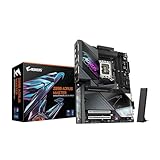
GIGABYTE Z890 AORUS Master
The Z890 Aorus Master can max out the potential of Arrrow Lake CPUs without breaking a sweat. Moreover, it’s extra-ordinary connectivity dominates the $300-$400 price range.
| Chipset | Socket | VRM | Memory Support | Total USB Ports | PCIe Slots | Storage | WiFi |
|---|---|---|---|---|---|---|---|
| Z890 | LGA 1851 | 18+1+2 | 4x DIMM, 256 GB DDR5, up to 9500 MT/s | 23 | 1x PCIe 5.0 x16, 2x PCIe 4.0 x16 | 2x M.2 PCIe 5.0, 3x PCIe 4.0, 4x SATA | WiFi 7 |
| PROS | CONS |
| + Unmatched connectivity | – No regular HDMI or DP port |
| + Excellent memory support | |
| + Great overclocking potential |
For Intel Core Ultra 200 CPU owners, there are plenty of great options, but it’s best not to spend over $500 if your primary goal is gaming. While a sub-$200 motherboard will do absolutely great even for a processor like Intel Core Ultra 9 285K, it’s just that these models often lack enough onboard features or are lackluster in design, which can’t push your CPU or memory to their full limits. While the GIGABYTE Z890 AORUS Master won’t help you achieve world records in CPU or memory overclocking, it’s going to be sufficient for letting you experiment with the clocks and voltages to optimize your system to the max.
There is no debate on how good Intel Arrow Lake CPUs are when it comes to memory controllers, but the motherboard also plays a crucial role in achieving high memory speeds. Similarly, the Z890 AORUS Master has a robust VRM to push the CPU to its limits while its well-designed heatsinks handle VRM temperatures efficiently. Z890 AORUS Master is also one of the best motherboards for your modern devices, and you get the EZ features for a quick assembly or component uninstallation. Just keep in mind that it’s absolutely necessary to have a discrete GPU in your system if your monitor doesn’t have a USB Type C Alt DP port, as the motherboard doesn’t bring any HDMI or DP connectors for the iGPU.
Best Budget: MSI B850MPOWER
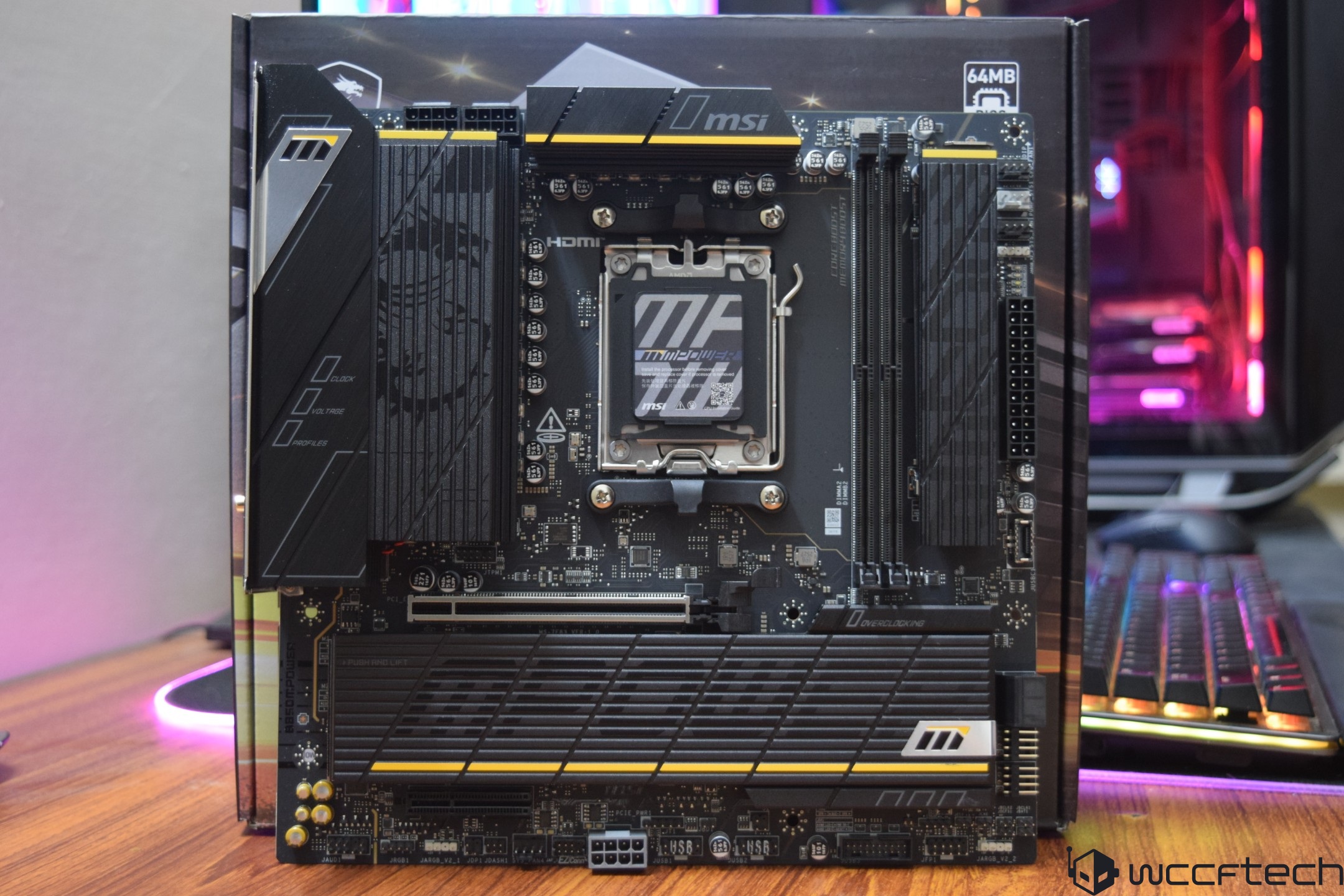
Check out the MSI B850MPower review
| Chipset | Socket | VRM | Memory Support | News
|
|---|